LabNecessity · Mobile app
Coverage answers for lab tests, before the claim
Pick one or more tests, add the ICD-10 codes and your state, and LabNecessity checks them against CMS National and Local Coverage Determinations, with a fix when a test isn’t covered.
Available now on Google Play
- Android
- iOS coming soon
- 7-day free trial
- CMS NCDs and LCDs
- No patient data entered
LabNecessity Walkthrough
See LabNecessity in action
Watch a coverage check from start to finish: pick the tests, add the diagnoses, and see which tests meet Medicare medical necessity.
How It Works
A coverage check in four steps
Check one test or a whole order against Medicare coverage policy, right from your phone.
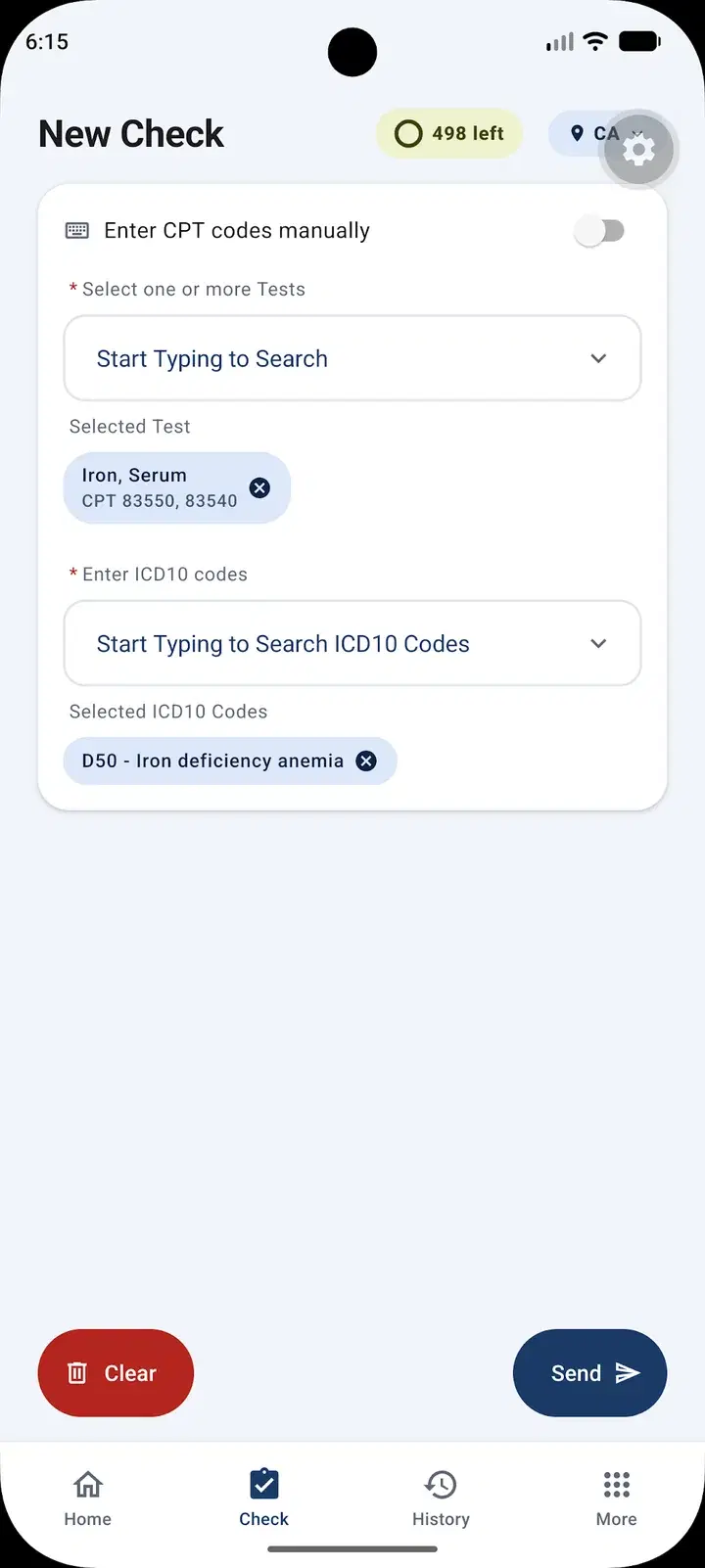
Step 1: Pick your tests
Search and select one or more tests, or switch on manual entry and type the CPT codes.
Step 2: Add the diagnoses
Choose the ICD-10 codes for the diagnoses, and your state, so the right local policies apply.
Step 3: Send the check
LabNecessity checks every test and diagnosis against CMS National and Local Coverage Determinations.
Step 4: Fix what won’t pass
See which tests are covered, which aren’t, and the diagnoses that would support coverage.
What you get
Medicare coverage answers for a whole order
Everything the free Quick Check does, for several tests at once, with your history saved.
Several tests in one check
Select multiple tests and ICD-10 codes together, instead of checking them one at a time.
A clear result for every test
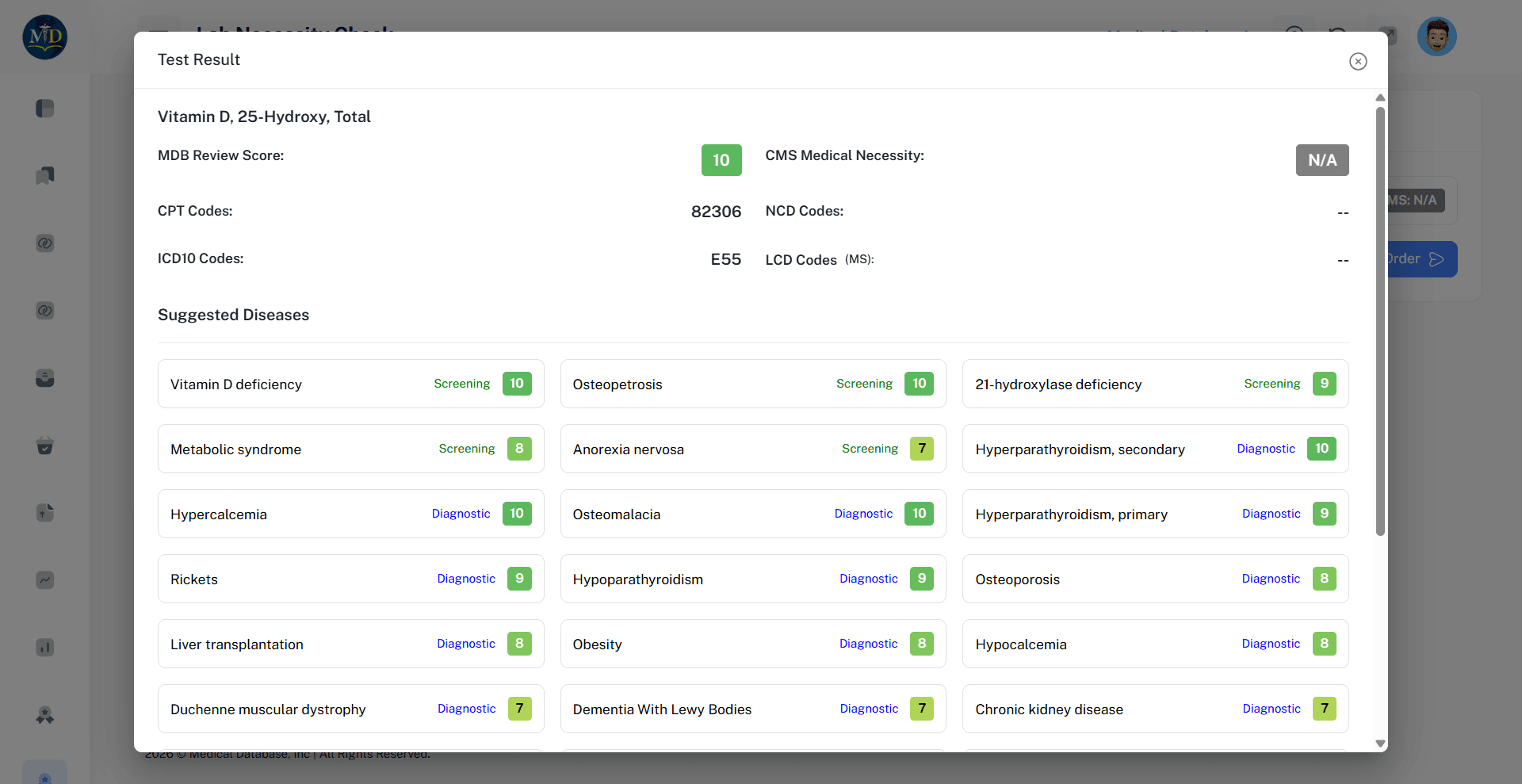
Each test gets a CMS medical necessity result and an MDB review score from 0 to 10.
The policies for your state
See the NCD and LCD policies that apply where you practice, with the matching CPT and ICD-10 codes.
Diagnoses that support coverage
When a test isn’t covered, see suggested diagnoses and the ICD-10 codes backed by a coverage policy.
Searchable history
Every check is saved. Search past results by test or ICD-10 code, and filter the list.
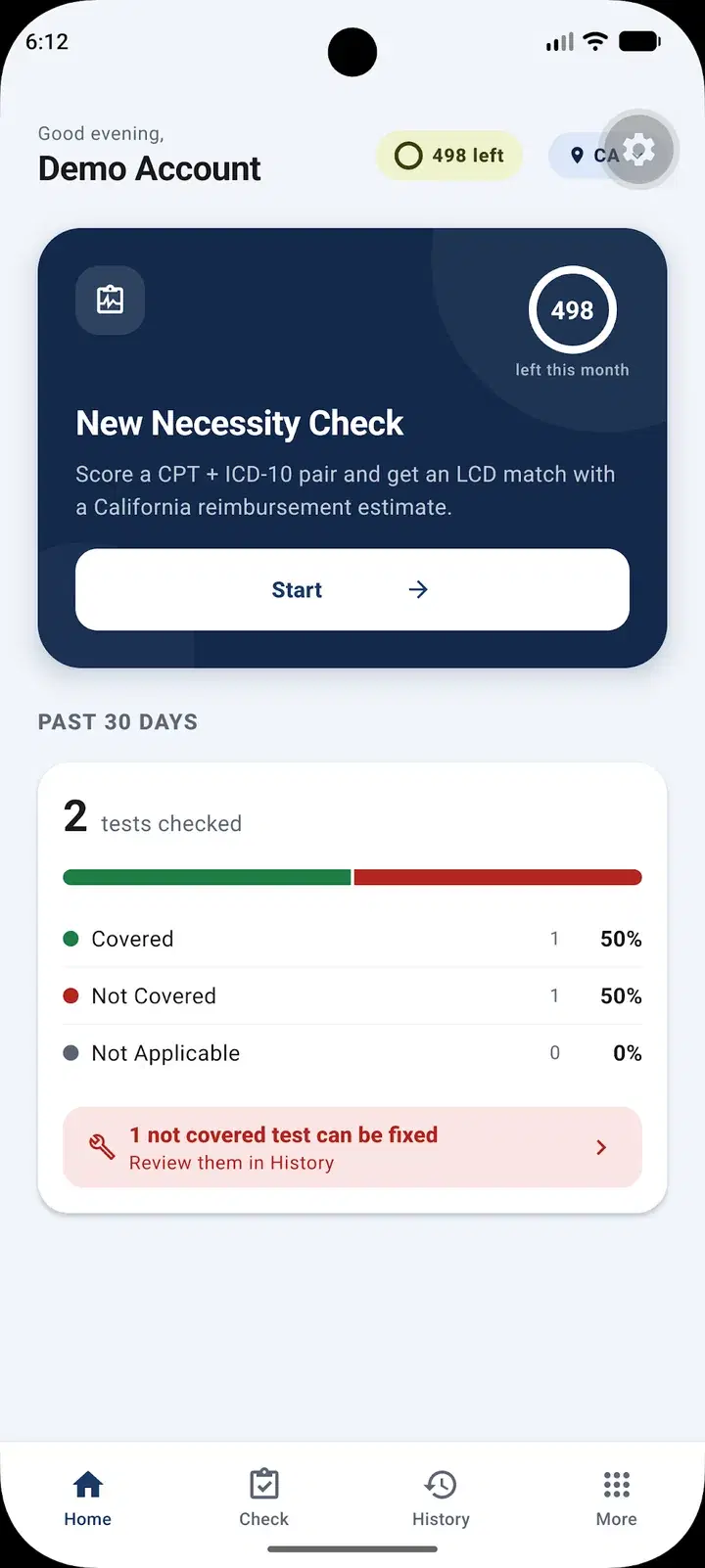
30-day summary
See how many checked tests were covered or not, and which not-covered tests can be fixed.
Screenshots
See it in the app
Real screens from LabNecessity, using a demo account.
New check
Select tests and ICD-10 codes, then send.
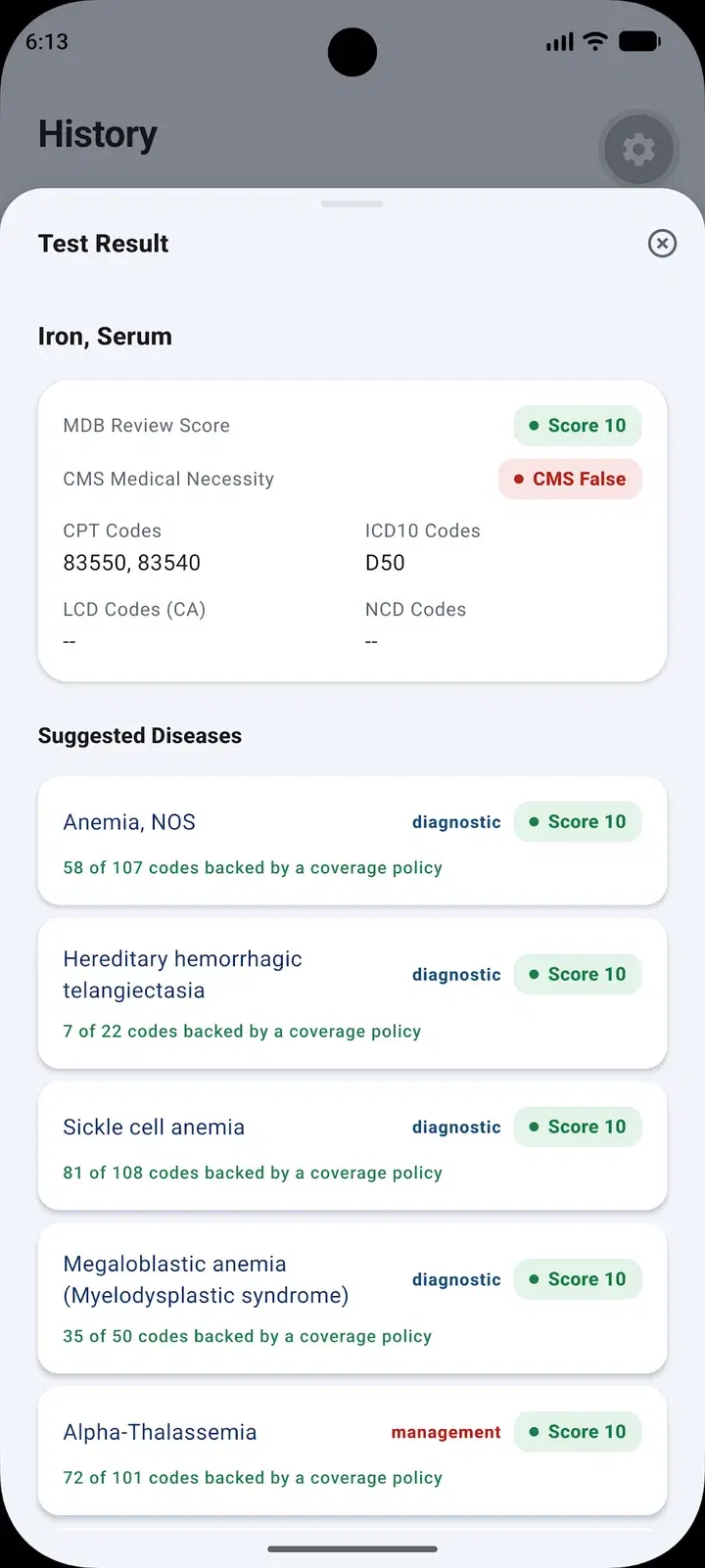
Test result
Review score, CMS result and the codes checked.
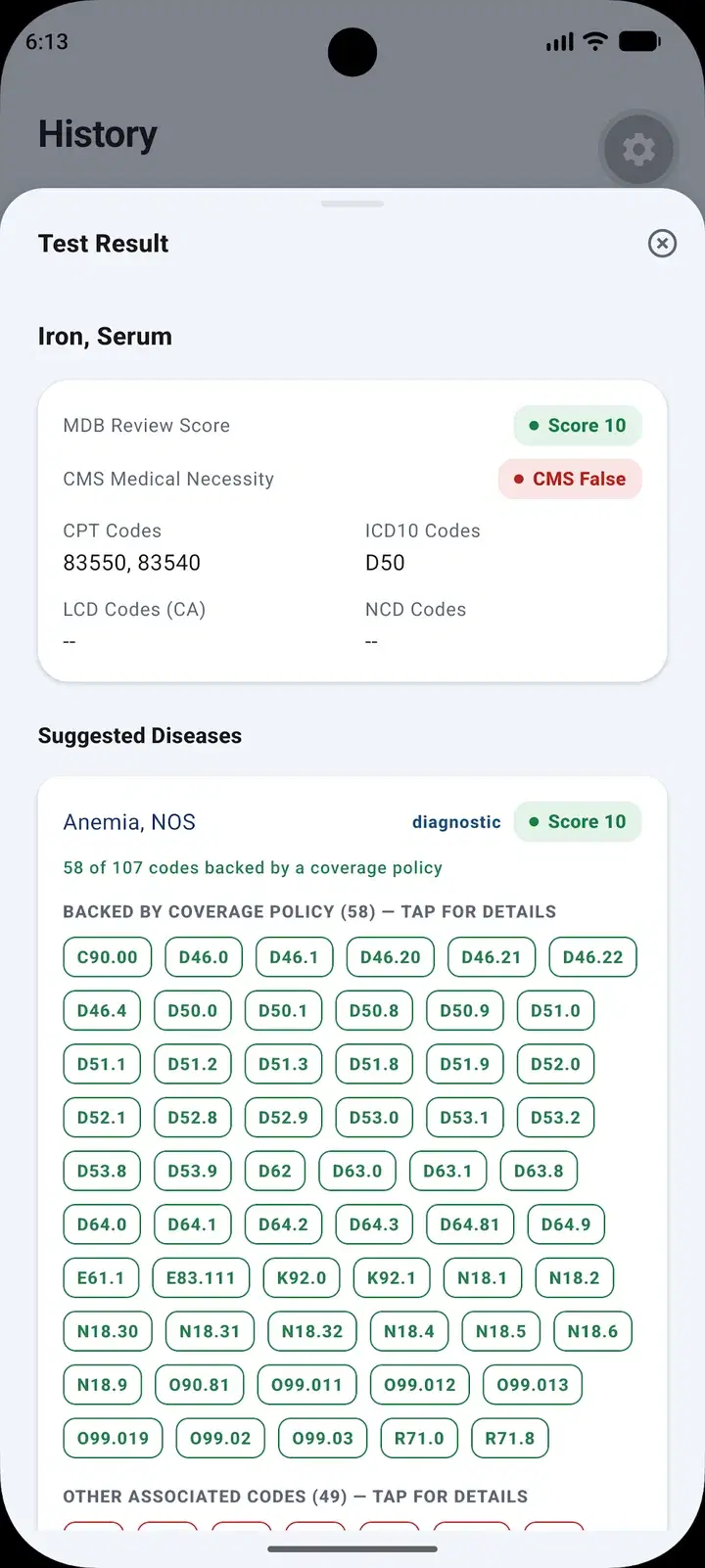
Suggested diagnoses
ICD-10 codes backed by a coverage policy.
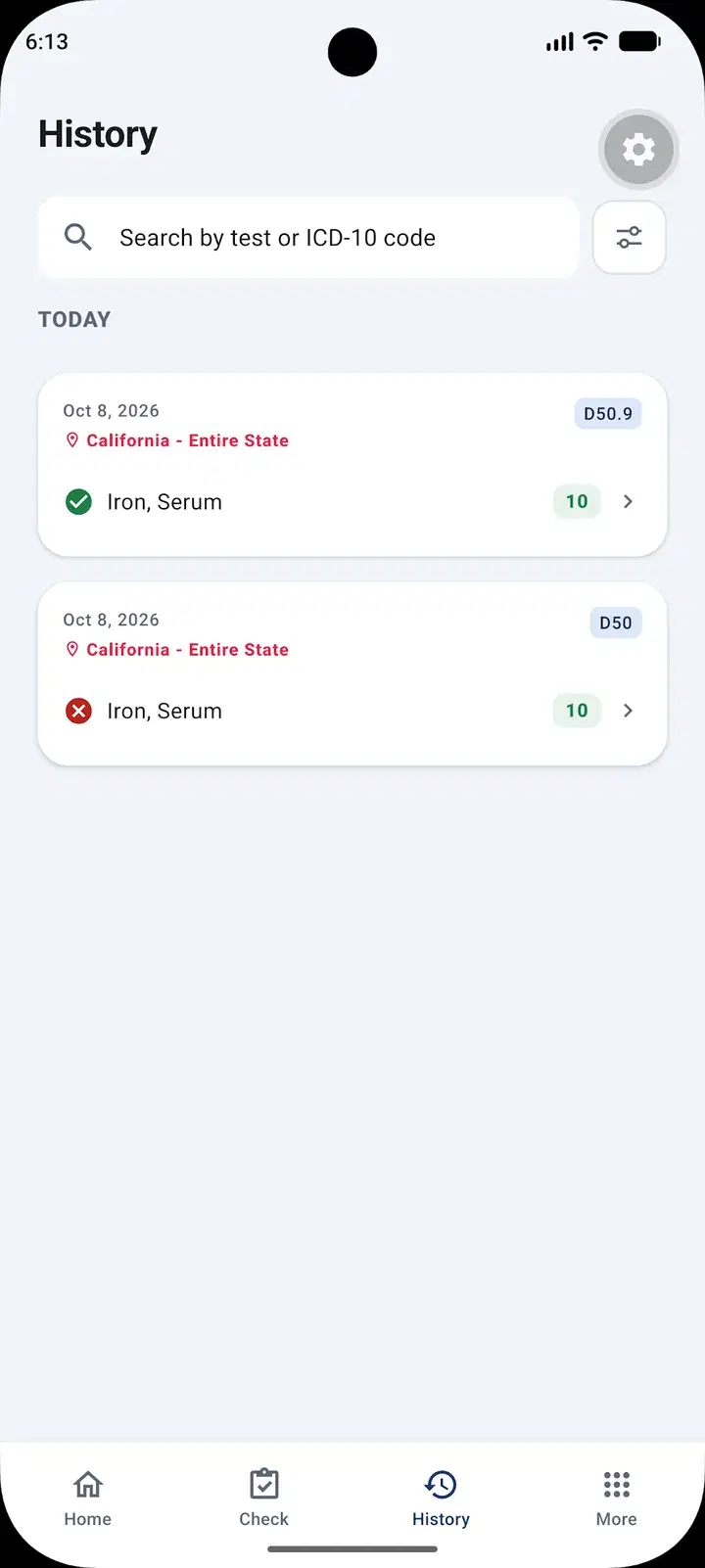
History
Search and filter every past check.
Home
Your 30-day covered and not-covered summary.
Compare
Quick Check or the LabNecessity app?
Our free Quick Check answers one question at a time on the website. LabNecessity is for people who check coverage every day.
Feature | Quick Check | LabNecessity app |
|---|---|---|
| Where | medicaldatabase.com | Android app (iOS coming soon) |
| Tests per check | One | One or more |
| Diagnosis codes per check | One | One or more |
| CMS NCD and LCD result | ||
| Suggested diagnoses | ||
| Saved, searchable history | ||
| 30-day coverage summary | ||
| Price | Free, no account | $19.99 / month or $199.99 / year |
Who It’s For
Who LabNecessity is for
Ordering providers
Check that an order will meet Medicare medical necessity before it leaves the office.
Learn moreBilling and coding teams
Check claims against Medicare coverage policy before they’re submitted, and find a supporting diagnosis.
Laboratories
Check orders for Medicare coverage problems before they’re billed.
Learn more
Pricing
Start with a 7-day free trial
Download LabNecessity from Google Play and try it free for 7 days. Then choose monthly or yearly.
Monthly
$19.99 / month
Full access, billed every month after your 7-day free trial.
Yearly
$199.99 / year
Full access, billed once a year after your 7-day free trial. About 17% less than 12 monthly payments.

iPhone app coming soon
Prices in U.S. dollars. Subscriptions are purchased in Google Play and renew automatically until cancelled in Google Play.
FAQs
LabNecessity questions, answered
What does LabNecessity check?
It checks whether a lab test meets Medicare medical necessity. You select tests or enter CPT codes, choose the ICD-10 diagnosis codes and your state, and LabNecessity checks them against CMS National and Local Coverage Determinations (NCDs and LCDs).
Can I check more than one test at a time?
Yes. You can select one or more tests and one or more ICD-10 codes in a single check, and get a result for each test.
How is it different from the free Quick Check?
Quick Check on our website checks one test and one diagnosis at a time and doesn’t save results. LabNecessity checks several tests at once, saves a searchable history of your checks, and shows a 30-day summary of covered and not-covered results.
How much does it cost?
LabNecessity is $19.99 per month or $199.99 per year, after a 7-day free trial. Subscriptions are managed in Google Play and renew automatically until cancelled there.
How do I cancel?
Cancel any time from your subscriptions in Google Play. Your subscription stays active until the end of the period you’ve paid for.
Do I enter patient information?
No. LabNecessity works only with tests, CPT codes, ICD-10 codes and your state. No patient information is entered or stored.
Is a covered result a guarantee of payment?
No. LabNecessity is a reference tool based on CMS coverage policies. It doesn’t provide medical advice and isn’t a guarantee of payment; confirm coverage with the payer.
Is it available on iPhone?
An iPhone version is coming soon. LabNecessity is available now for Android on Google Play.
Medical Database products provide decision support. They do not replace the professional judgment of the ordering provider, laboratory director, or treating clinician, and they do not guarantee coverage or payment, which are determined by each payer.